Releases
Release Log
18 major initiatives · 60+ releases & fixes · shipping since 2024
2026
SourceAI Lite & Pro: choose speed or depth for every search
Released 01.10.2026
SourceAI now comes in two series, Lite (5.0) and Pro (3.0), so you can pick the right balance of speed and depth for each search. Most searches need to be fast and reliable, while detailed evaluations need complete, precise results. Now you choose the mode that fits the job.
- Lite is faster. It’s best for initial exploration and getting a first market overview. Lite is the default for everyone, and we recommend it for landscapes.
- Pro is more thorough. It’s best for detailed evaluation, such as setting criteria and assessing companies in depth against a brief.
- You always know which version you’re on. When a new version comes out, SourceAI tells you in the navigation and on SourceAI home. Older searches show a banner offering to rerun them on the newer version.
- Nothing changes unless you change it. Switching a search’s version applies to that search and becomes your default for your next new search. Existing searches keep the version they last used.
How to use it: On SourceAI home, pick Lite or Pro in the version selector before starting a search. In any existing search, switch the version from the same selector and rerun it on the newer version.
Guided Search in SourceAI
Released 29.09.2026
You no longer need a perfect brief to get great results. Before a search runs, SourceAI checks your brief and asks only the clarifying questions it actually needs.
-
If something is unclear, answer a few quick, skippable questions — whether you want a Landscape (the market split into approaches) or a Benchmark (one ranked shortlist), which categories to cover, and which capabilities matter.
-
Well-defined briefs skip the questions entirely and go straight to the search plan.
-
Before searching, see exactly what SourceAI will search with — need, criteria and filters — and edit any of it.
-
Better results on the first run, with less trial and error.
-
Start any search in SourceAI (or click “Ask SourceAI” from a pain point), answer or skip the questions, check the plan, then hit Confirm & Search.
Company Search in Lists
Released 04.09.2026
You can now search for a company directly inside Lists, like you could in SourceAI.
- In a List or Category view, search filters rows down to matches by company name or domain — no more scrolling to find one.
- In a Landscape view, matching companies are highlighted across every category they appear in, so a company that sits in multiple categories is easy to spot.
- Hit Cmd/Ctrl+F in a list to open it.
Column Header Redesign in the Solutions Matrix
Released 04.09.2026
A reworked column header experience in the Solutions Matrix, making columns easier to manage and understand.
- Every column action — rename, change type, move, delete — is now one click away from the column header, with no extra modals.
- Adding a column requires no additional steps, and the CTA always stays reachable even on wide tables.
- Each column type shows a quick explainer, so it’s clear what you’re choosing.
Live Search Progress & 10x Faster Criteria Resolution in SourceAI
Released 01.09.2026
SourceAI’s search experience just got faster and more transparent — see what’s happening as it works, adjust criteria without restarting, and get results enriched up to 10x quicker.
- See progress as it happens — the new loading experience replaces the static banner with a live view of what SourceAI is doing.
- Change your mind mid-search — update criteria on a running search without losing what’s already been found.
- Get results faster — criteria enrichment is up to 10x quicker, so searches with dozens of criteria are no longer a tradeoff.
Pain Point AI, Rebuilt
Released 26.08.2026
A calmer, native Pain Point experience in the project page and the BU request form — with fixes to titles, language, criteria and loading states.
- Frame a problem without the UI interrupting you — questions sit directly in the fields as questions to answer, and nothing populates in parallel anymore.
- The AI now answers in the language you wrote in, project titles are never overwritten, and criteria come back short and usable (not redundant).
- A visible loading state shows while the AI works.
- The score now shows how it’s formulated and what each field contributes, and can be set manually — the same experience is available to BU stakeholders in the request form.
Bulk Save and Instant Search in SourceAI
Released 28.07.2026
Bulk saving and in-list search land in SourceAI. Select all (or tick individual categories) and hit Save in the new unified header to add everything to a list at once, including descriptions — the header works the same way across Landscape, Benchmark and Category views, and any criteria you’ve added carries over to the list. Alongside it, the search icon (or Cmd/Ctrl+F) filters by company name, domain or “Why it matches” — no more scrolling or browser find.
Pain Point Fields Customization
Released 20.07.2026
Innovation leads can now standardize how every team captures and scores pain points from a single settings page — no need to edit each pain point individually.
- Configure pain point forms once in Project Settings; changes apply to every pain point, existing and new.
- Choose which fields must be filled in before sourcing — Current Challenge and Expected Outcomes always stay visible and required.
- Add up to 5 custom fields (e.g. budget, timeline) that appear on all pain point forms once enabled.
- Hiding or removing a field keeps saved answers; it just stops showing on forms.
- Turn AI auto-generation and auto-scoring on or off for the whole organization — when on, AI only runs on enabled fields and uses your custom labels and guiding questions.
A redesigned Contacts experience — a new Contacts tab on company profiles
Released 12.07.2026
One place to see and manage every contact and intro request for a company.
- Intro requests (e.g. from a project) now show directly in the company profile — see pending requests at a glance.
- Add your own contacts — if you already know someone at a company, create them and set your primary contact.
- See who owns each relationship and reach out to them directly — contacts are sorted by who you have access to.
- Expand to see additional sourced contacts, and manage everything in one place.
A streamlined OS menu — the sidebar goes from 10 items to 5, with no section headers.
Released 02.07.2026
Everything you use daily is now one click from the top: Home, SourceAI, Lists, Companies, Projects, Analytics.
- Nothing was removed — Backlog & Requests now lives as a tab inside Projects (same data, same filters)
- Open Challenges as a tab inside Lists, and Innovation Hub plus Business Unit management (now “Directory”) in Settings.
- Redundant “Active” tabs are gone, so there’s one clear place to see your pipeline.
- On first login you’ll get a short guided tour showing exactly what moved.
Project Flow Configuration — Venture Clienting, built your way.
Released 01.07.2026
Until now, every project ran through the same fixed structure. Now your organization can define how venture clienting actually works across your business units and project managers — the stages, tasks, approvals, and terminology that match how you operate. The playbook that’s powered 1,000+ PoCs on GlassDollar is your starting point: adopt it as-is, or reshape it to fit your process. This is a step toward decentralized innovation - giving individual teams the freedom to find and test solutions on their own, within the guardrails of an organization-specific playbook.
What’s new
Project Types Create named workflows that match how you work — e.g. “Software Procurement” vs. “Hardware Integration” — so a quick evaluation and a multi-year integration no longer share one rigid path.
Your language, everywhere Rename phases and section headers (“PoCs” → “Pilots”, “Assessment” → “Due Diligence”). Custom labels carry through Kanban, scoping, analytics, notes, cards, and lists.
Automatic tasks Define ordered tasks per phase — each with an owner, approver, due date, docs, and required steps. Tasks generate automatically as soon as a project is created.
Assignment, approvals & stage gates Team members see tasks grouped by phase with status, owner, and checklist progress. Where an approver is set, work passes through a proper approval gate, and every transition is tracked.
Notifications Assignees and approvers stay in the loop on assignments, due dates, and approve/reject decisions — no need to live inside the app.
Tasks on your Home Screen Your most relevant task work across all projects is now front and center.
Certifications Section in Startup Profiles
Released 29.06.2026
Startup certification data now appears directly on startup profiles. Browse certifications on any profile and quickly gauge startup maturity.
Bulk Company Outreach
Released 29.06.2026
Select a batch of startups in a list or a project and connect with all of them in one click — no more one profile at a time.
SourceAI — the core of startup discovery
Filters, faster & cheaper search, a Stop button and sharper matches — and it now powers list recommendations and “find similar companies” too.
Analytics, rebuilt
Every chart rebuilt on the backend and audited — plus a Funnel Health view, drill-down on any number, custom targets, and one-click export.
Company Insights
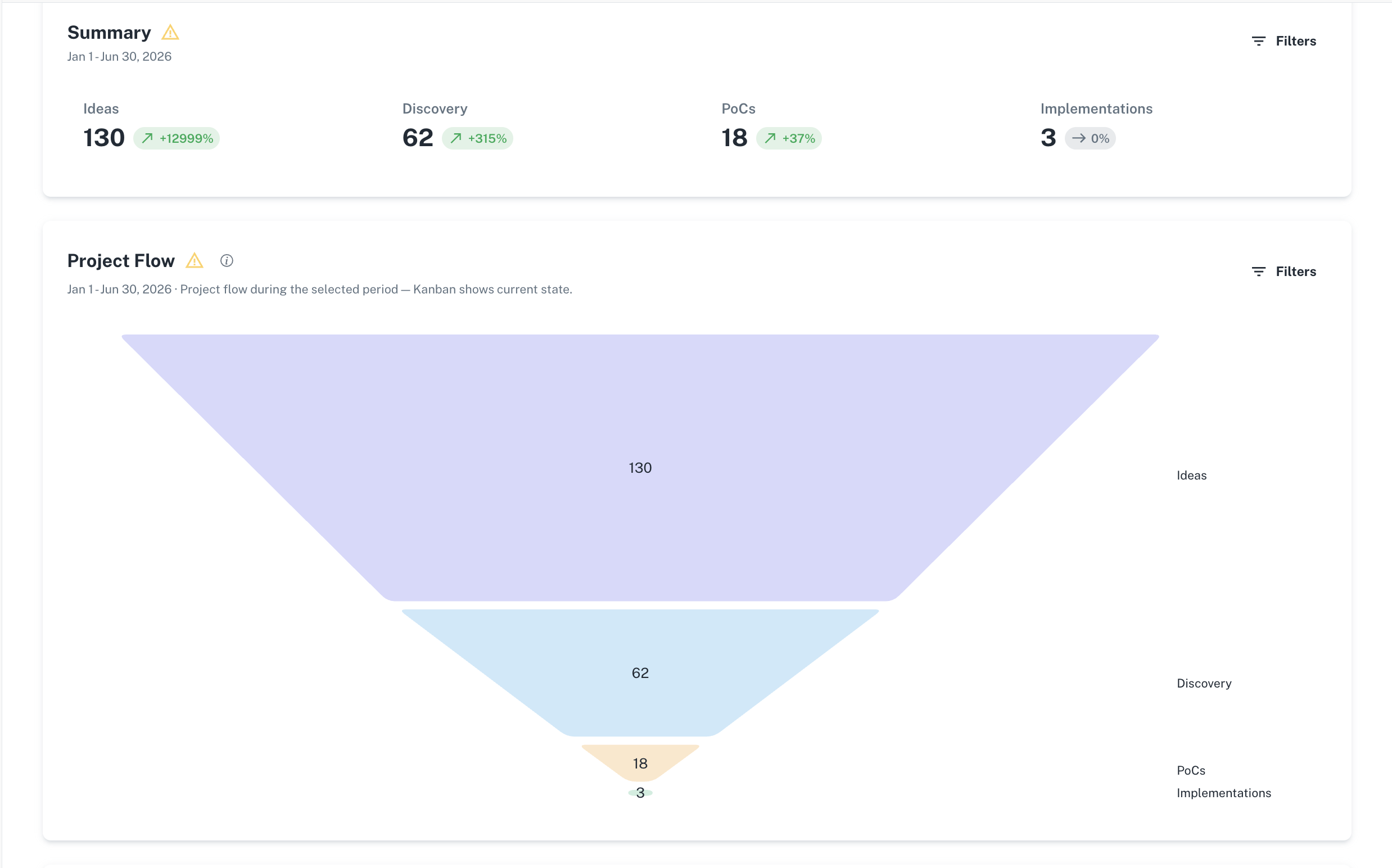
An aggregate, visual overview of every startup your organization has engaged with — no more clicking through profiles one by one to spot patterns. See your whole portfolio in one place (added to lists, assessed, tested), understand where your innovation is sourced from and your portfolio’s funding maturity, and spot company reuse across projects as a signal of traction. Drill into any chart to the companies behind it.
A simpler, clearer project journey
We streamlined the whole flow: clearer project permissions, the Needs tab retired, one unified Sourcing → Assessment list, and a guided List → Project hand-off.
Innovation Hub, reimagined
From a passive submit form into an active workspace: action cards, a revamped side nav, AI-powered SourceAI search, Lists as a first-class section for Business Units, and a clearer project view for stakeholders.
Open Challenges
Run open innovation challenges end to end — collect and own applications with email notifications, and vote from a shortlist.
Better data — funding, acquisitions, fewer duplicates
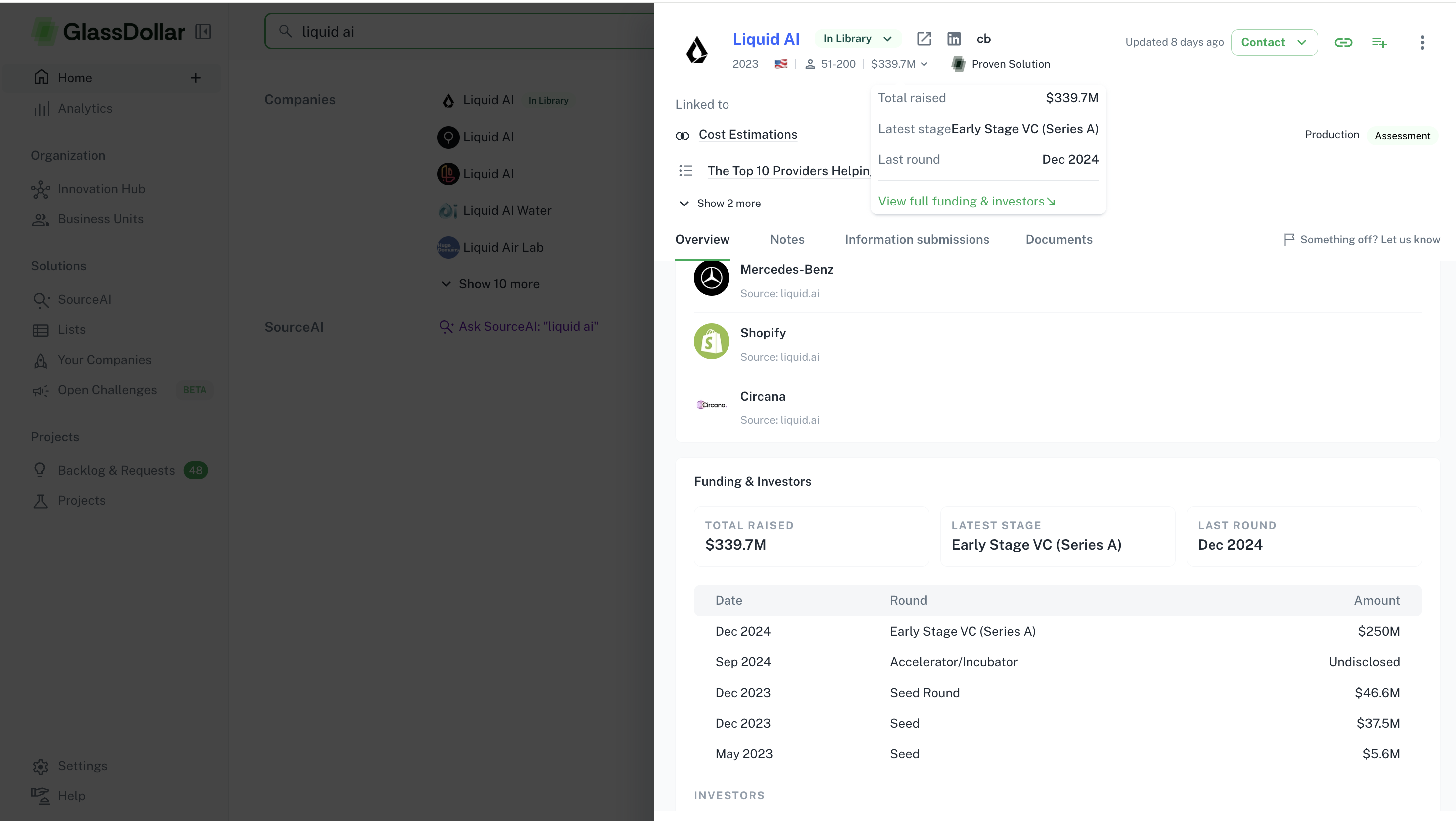
Monthly PitchBook funding rounds on profiles and landscapes, full acquisition history, and de-duplication that keeps the database clean.
Quick Actions
One-click workflows from Home — capture a pain point, explore a market, benchmark, inspire stakeholders, or uncover partnerships.
Public API
Programmatic access to projects, startups, lists, stakeholders and search, for every organization (setup at /settings/api).
Onboarding & navigation
New trial accounts open with realistic sample data, clearer empty states, and breadcrumb navigation throughout.
Startup outreach
An admin dashboard to review and edit recipients and content before sending, schedule follow-ups, and customise templates.
2025
Projects, reimagined
Projects 2.0 (April) rebuilt the section around action and collaboration — a Lead → Project → Implementation flow, a Business Case calculator and a built-in Task Manager — and Kanban & Table views (November) brought the whole funnel into one workspace you can collapse, sort, filter and drill into, with Phase & Status fields that flag idle projects.
Analytics 2.0
The first full analytics suite for the venture-clienting funnel: conversion rates, budget utilization and a financial/operational overview, with Sankey charts to visualise project flow and tools to spot bottlenecks.
Your OS — a new Home
Discover became a proper Home: Recently Viewed and Most Viewed, Your Tasks and All Tasks, and Your Feed with news from the startups and projects you follow — plus one-click actions like “Track as Lead” and “Send to Stakeholder”.
Request Introduction
Ask GlassDollar to connect you to a startup contact by email — free and unlimited. We facilitate a warm intro to a verified decision-maker within 7 days, with no manual search or cold outreach.
Open Challenges
Create custom open challenges, collect applications, manage ownership with email notifications, and move applications into a list for voting.
Recommendations powered by SourceAI
Benchmark-based “similar companies” surfaced automatically across lists and projects.
Public API (beta)
Early programmatic access to projects, startups and lists — rolled out to select organisations.
2024
Leads Kanban
The foundation of the funnel: a unified workflow that consolidates stakeholder requests, startup opportunities and project briefs, auto-tracking new items as Leads and sorting them into “Push” (scouted) and “Pull” (form-generated).
AI Search (Search 2.0)
AI-powered search for sharper, faster startup sourcing — plus Similar Search to find comparable companies in a click.
Challenges
Central hubs that link lists, stakeholders, leads and projects under a single objective, so teams can find the common threads across many stakeholders and projects.
Pain Points 2.0
Pain points became independent entities — linkable to leads, lists and projects — backed by a database that surfaces synergies across departments facing similar challenges.
Permissions & access controls
Entity-level permissions for lists, projects and leads, with Super Admins keeping full organization-wide oversight.
Enhanced startup profiles
Automatic enrichment on every visit, AI-generated descriptions of value proposition and speciality, and website-status checks that flag inactive startups.
Activity logs
Stakeholder Activity logs show when and where stakeholders engage, with aggregate views of engagement across your content.
The releases that matter, straight to your inbox — once a month, no noise.