Product guide
SourceAI Search
SourceAI is GlassDollar’s AI search for finding companies. Instead of building filters or keyword queries, you describe a need or pain point in plain language — a sentence or a full brief — and SourceAI finds the companies that can solve it. Results drop straight into a List or Project.
| Step | What happens |
|---|---|
| 1 · Describe | Describe your need in plain language, or start from an existing pain point, a list or a quick action |
| 2 · Refine | SourceAI asks about anything your input leaves open, then shows the search plan for you to check (see Guided Search below) |
| 3 · Results | SourceAI returns matching companies as a Benchmark or a Landscape |
| Format | What it gives | Best for |
|---|---|---|
| Benchmark | One ranked list, most fitting first, scored against your criteria | Vendor selection and comparing companies |
| Landscape | A map of the space, grouped into categories | Comparing approaches, sizing a market or briefing stakeholders |
Every section below can be expanded or collapsed.
Guided Search
Guided Search turns your need or pain point into a precise search. Before SourceAI runs the search, it walks you through a few short steps, one at a time:
| Benchmark | Landscape | |
|---|---|---|
| Result format | ✓ | ✓ |
| Categories | — | ✓ |
| Criteria | ✓ | ✓ |
For both categories and criteria, SourceAI derives suggestions from your input. You decide what to work with:
- Choose the suggestions you want to keep.
- Adapt any single suggestion with the pencil icon.
- Add your own with Add your own….
Every step is optional. Hit Skip and SourceAI uses your input as written. If your input is already clear, or you start from a pain point, SourceAI skips the steps it doesn’t need.
Example: “Automated Quality Control Solutions”
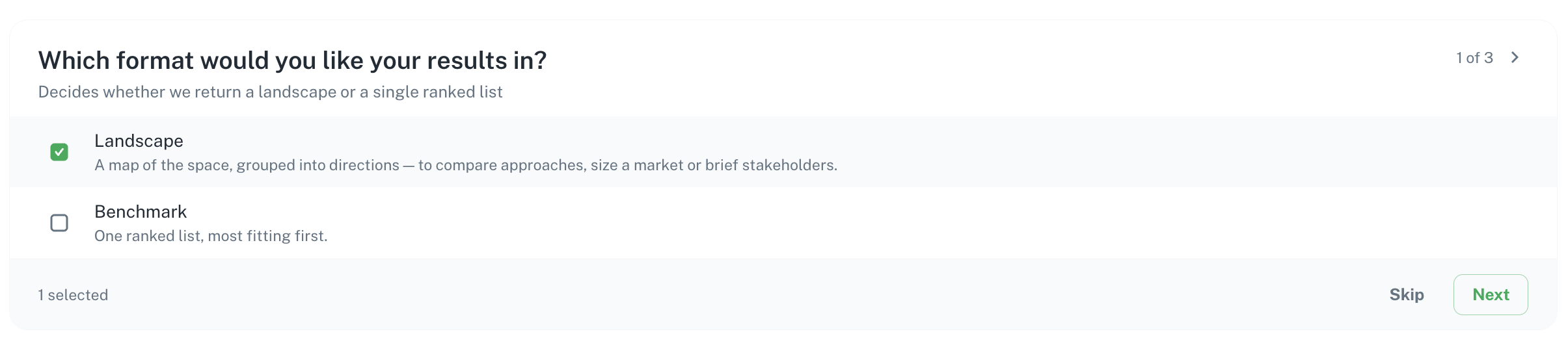
1 · Which format would you like your results in? Choose Landscape (a map of the space, grouped into categories) or Benchmark (one ranked list, most fitting first). SourceAI only asks when it can’t tell from your input.
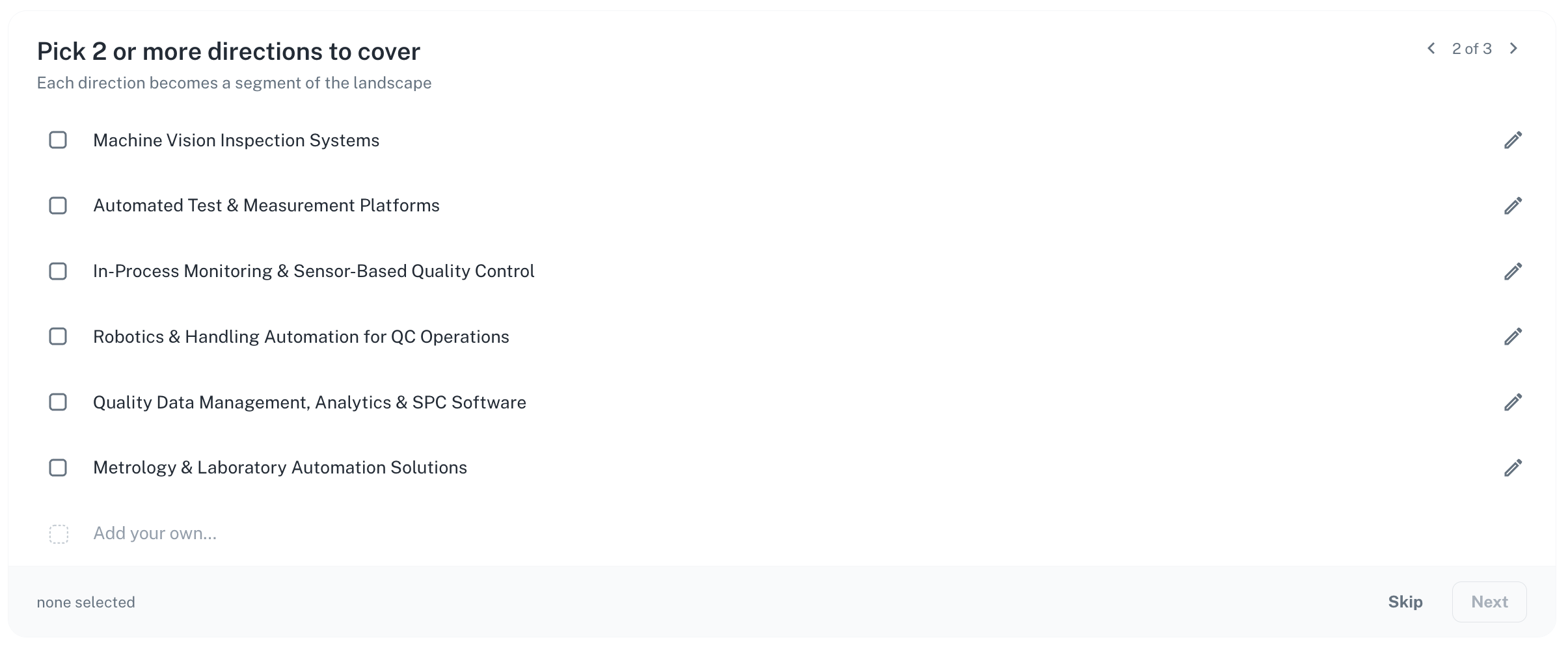
2 · Pick 2 or more categories to cover (Landscape only) If you choose Landscape, SourceAI also asks which categories you’re interested in. It suggests the ones it found in the market, such as Machine Vision Inspection Systems or In-Process Monitoring & Sensor-Based Quality Control. Each category you pick becomes a segment of your landscape.
3 · What criteria should the solutions satisfy? (Benchmark and Landscape) SourceAI suggests criteria derived from your input, such as Detects defects in real time or Applies to manufacturing or production environments. Keep, adapt or drop them, add your own, then hit Confirm & Search.
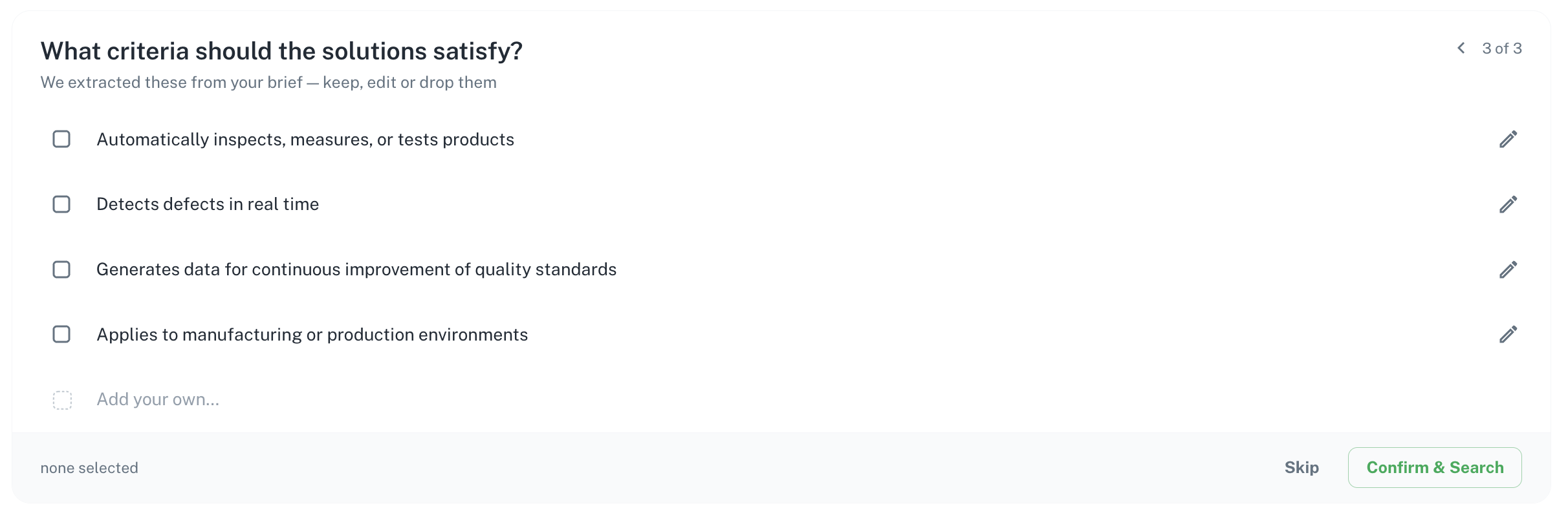
Use the arrows in the top-right corner to go back and change an earlier answer before you search.
Quick actions: direct results, no refinement steps
Quick actions are the fastest way into SourceAI. They skip Guided Search entirely: no questions, no refinement steps. SourceAI goes straight to results.
| Quick action | What you get |
|---|---|
| Explore Spaces | A structured market overview from a pain point or a buzzword |
| Benchmark Companies | Alternatives to a company, so you can check you have the best fit |
| Inspire Stakeholders | A tailored inspiration list based on a BU stakeholder in the platform |
| Uncover Partnerships | The companies your competitors already work with |
Find them on Home under Quick Actions.
Use a quick action when speed matters. When you need precise results against a specific need, start a regular search, so Guided Search can sharpen it first.
Models: Lite & Pro
SourceAI comes in two series, so you can pick the right balance of speed and depth for each search.
| Model | What it does | Best for |
|---|---|---|
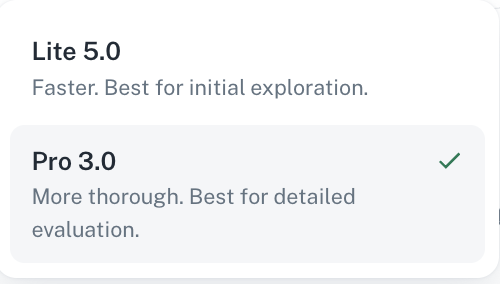
| Lite (5.0) | Fast and robust. Works well for most searches. Default for everyone. | Initial exploration, a first market overview, and landscapes |
| Pro (3.0) | More thorough. Screens a wider pool of companies and checks every criterion in depth. | Detailed evaluation, such as setting criteria and assessing companies in depth against a brief |
Pro is free to use until the end of 2026. From 2027, Pro is only included in selected plans. Your account manager can tell you which plans include it.
For landscapes, we recommend staying on Lite.
Choose a model
On SourceAI home, pick Lite or Pro in the selector next to the search box before you start. In an existing search, open the same selector to switch, then rerun the search.
What happens when you switch
- The new model applies to that search, and it becomes your default for your next new search.
- Existing searches keep the model they last used, so nothing changes unless you change it.